EM Operating System
Your 1:1s, reviews and promotions, organised by talking to your LLM.
A Notion system I built for the people side of the job. Tell it what happened in a 1:1 and it does the filing. It flags who needs you, builds reviews from evidence and shows who's ready for promotion.
One-time payment · Instant access · 50 templates included
Used by engineering leaders at



Works with Claude and other LLMs
Organise all of it by talking to your favourite LLM
Connect Notion to Claude, ChatGPT, or your favourite LLM. Then tell it what happened in your own words. It files the notes, logs the wins and tracks the actions in the right databases, and answers questions from everything you've logged.
Just finished my 1:1 with Lena. She ran the incident review for the payments outage really well. She's worried on-call is burning the team out, and I said I'd look at the rota by Friday.
Done. Here's what I added to your EM Operating System:
- 1:1 Notes: New note for Lena Novak, today
- Evidence Log: “Ran the payments outage incident review” · Win · Leadership & Influence
- Actions: “Review the on-call rota” · owner: you · due Friday
Lena's 1:1 is no longer flagged as overdue.
Example conversations, using the sample team that comes with the system.
This one's a real screenshot
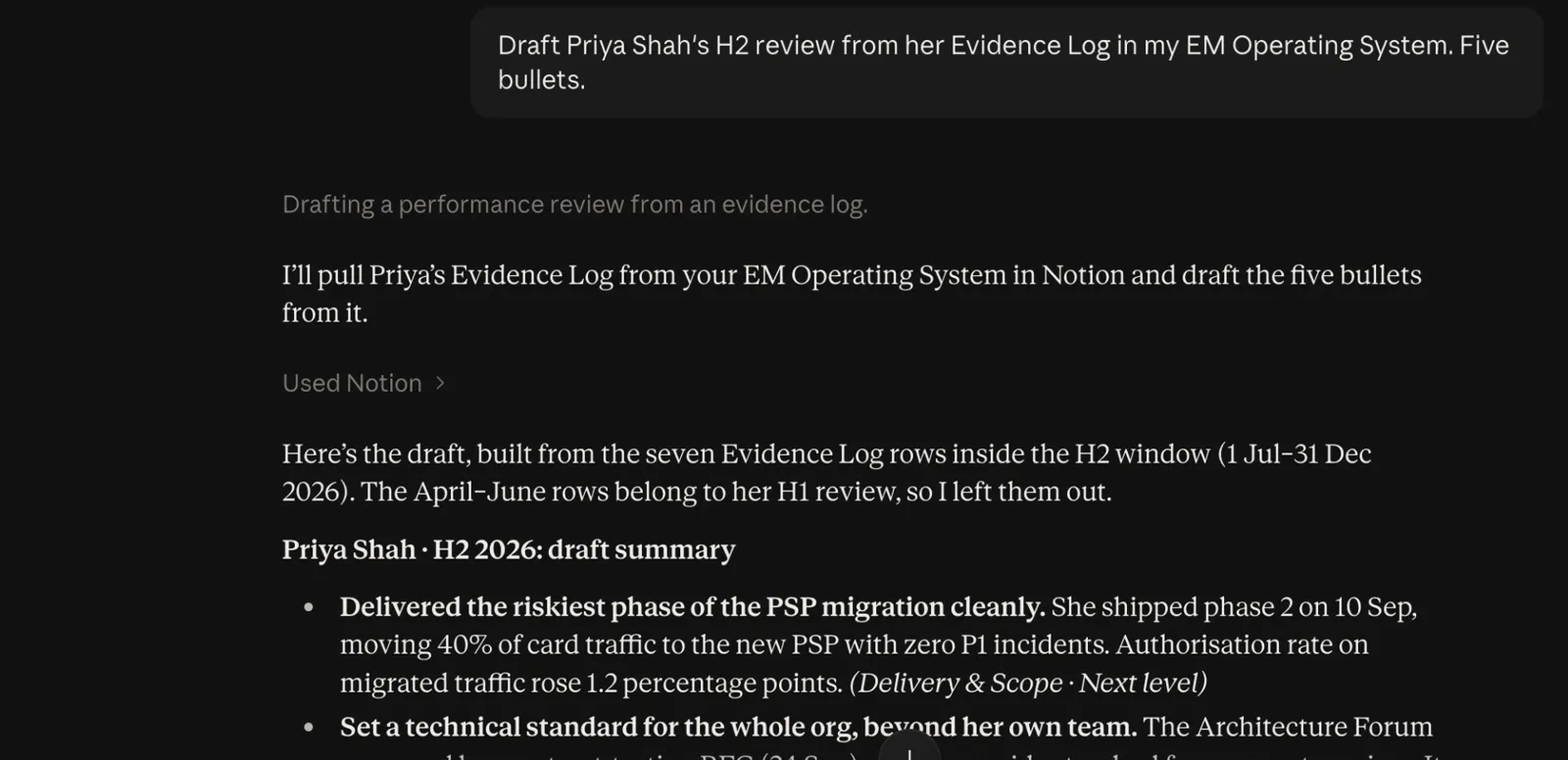
I asked Claude to draft Priya's H2 review. It read her Evidence Log through Notion MCP, kept only the rows inside the H2 window, and tied every bullet to a dated piece of evidence. You still edit it, but you start from facts instead of a blank page.
Setup is Notion's own connector: add it in your assistant, sign in to Notion, done. No API keys, no code.
The problem
You know the review-season weekend.
Slack threads, Google Docs and scrappy 1:1 notes open in a dozen tabs while you try to remember what someone shipped in March.
Reviews written from memory
You remember the last six weeks clearly and the four months before that barely at all. Your engineers can tell which half of the year the review came from.
The quiet ones slip
Nobody flags themselves. The engineer you haven't had a proper 1:1 with in a month is usually the one you most needed to talk to.
Promotion cases on gut feel
Committees want evidence across dimensions, sustained over months. You have a strong feeling and two examples from last month.
I sold the first version of this as 50 Notion templates. They were useful, but they were separate pages: my 1:1 notes never made it into a review, and the review never fed the promotion case. So I rebuilt it as one system where they're linked.
How it works
You log wins in 1:1s. The rest follows.
That's the only habit it asks of you, and you can do it by typing in Notion or by talking to your LLM. The flags, reviews and promotion checks are Notion relations and rollups doing the work in the background.
- People
- 1:1 Notes
- Evidence Log
- Review Cycles
- Promotion Cases
See who needs you
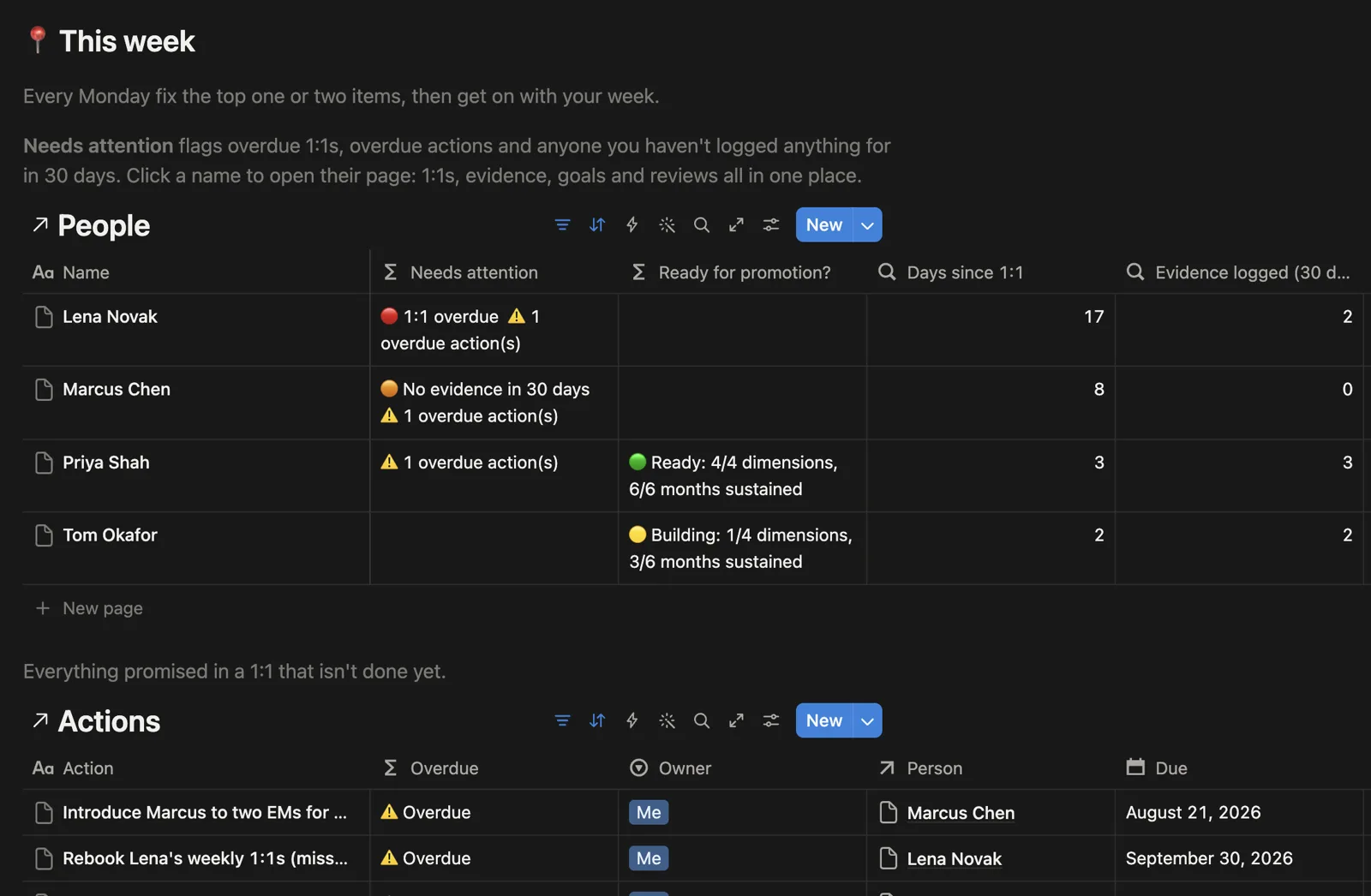
The home page lists your team with three flags: a 1:1 that's overdue, someone you haven't logged anything for in 30 days, and an action you promised that's now late. Fix the top one or two on Monday, then get on with your week.
🔴 1:1 overdue · 🟠 No evidence in 30 days
Log wins while they're fresh
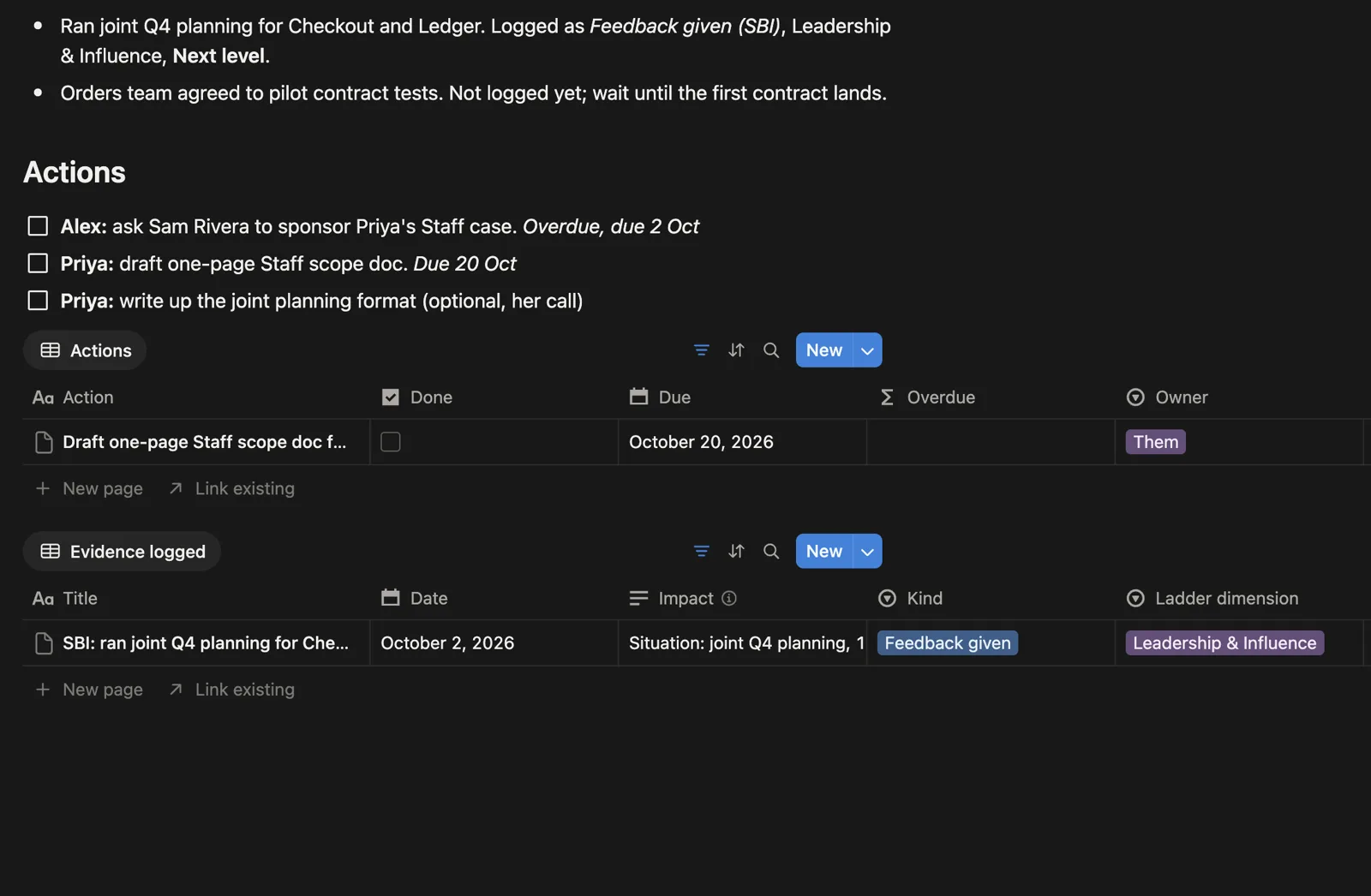
When something good comes up in a 1:1, add it to the Evidence Log from inside the 1:1 note, or tell your assistant and let it do the filing. Each win gets a ladder dimension and whether it's at level or next level. It's the one habit everything else depends on.
Win · Leadership & Influence · Next level
Reviews build themselves
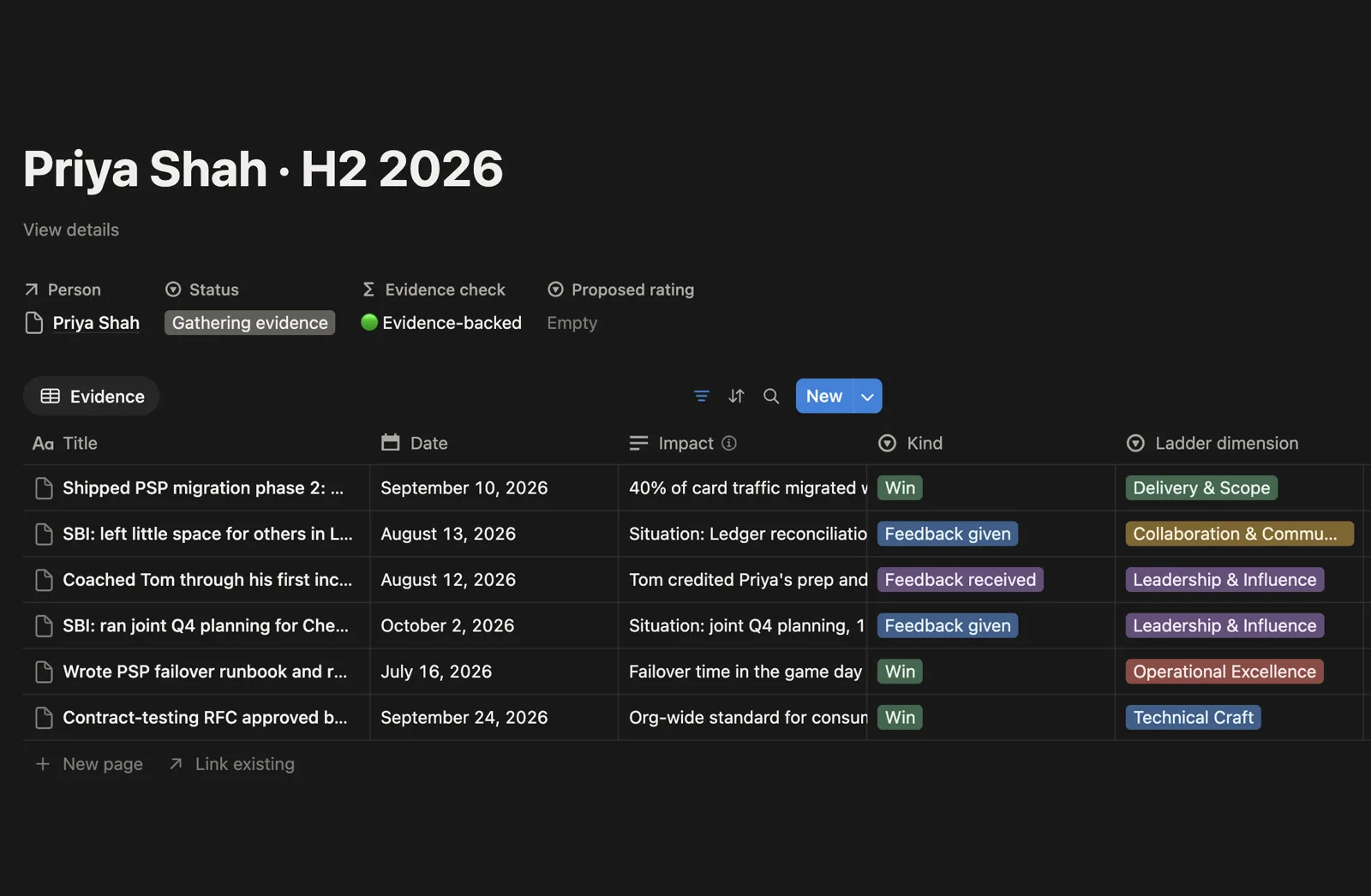
Each review cycle has a date window. Anything you logged for that person inside the window shows up on their review automatically. The evidence check tells you whether your rating is backed by what you logged or by how last week went.
🟢 Evidence-backed
Know who's ready
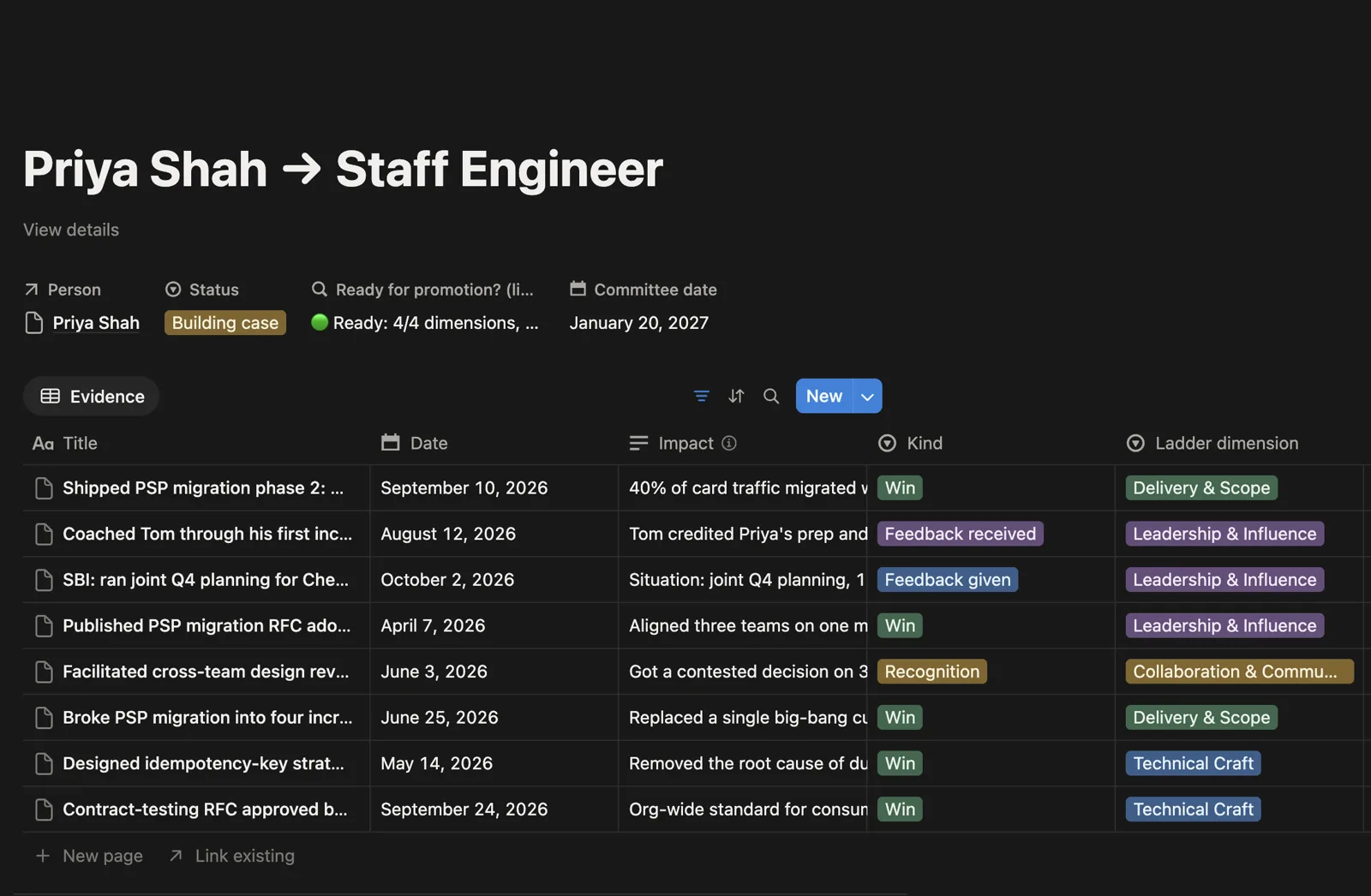
Promotion readiness counts how many ladder dimensions have next-level evidence, and for how many of the last six months it's held. When it reads 4/4 and 6/6, you have a case a committee can say yes to.
🟢 Ready: 4/4 dimensions, 6/6 months sustained
The best time to start logging is months before review season.
Every win you log this month is one you won't have to dig for later.
What's inside
What you get
Nine linked databases
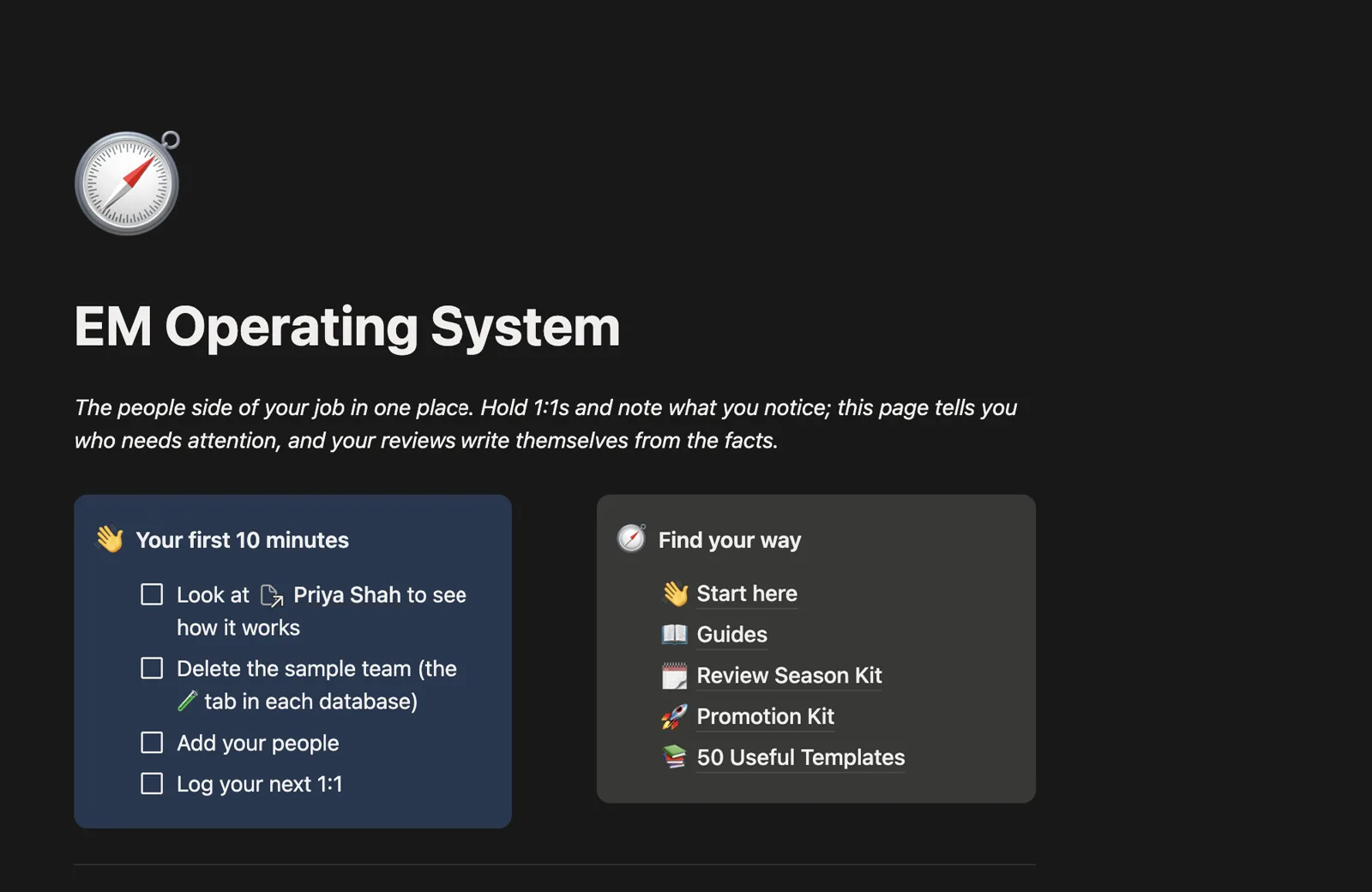
People, 1:1 Notes, Evidence Log, Actions, Goals & Development, Review Cycles, Promotion Cases, Performance Support Plans and a Career Ladder with IC and EM tracks. They're linked, so you enter things once.
Works with Claude
Tell Claude, ChatGPT, or your favourite LLM what happened and it files it in the right place. Ask it to draft a review, prep a 1:1 or tell you who's gone quiet.
Review Season Kit
Nine pages for review season: calibration prep, scripts for the delivery conversation, and AI prompts for drafting, bias checks and peer feedback.
Promotion Kit
A promotion plan, a packet template, and a worked example of Priya going from Senior to Staff that you can copy from.
Ten-minute setup
A four-step checklist on the home page, and a sample team to click around before you add your own people.
50 templates included
The original template library is still in there, for everything outside the people loop: hiring, onboarding, OKRs, roadmaps, incidents, sprints and retros.
Testimonials
What engineering managers say
“I used the performance review and promotion case templates to build a clear case for two of my reports. Both got promoted that cycle. The frameworks make it easy to articulate impact.”
“I was running 1:1s with no agenda and quarterly planning with a blank doc. These templates gave me a repeatable system. My team actually noticed the difference.”
“My first week as an Engineering Manager I was scrambling to set up 1:1 docs, sprint, and retro templates from scratch. These saved me at least 10 hours and gave me a structure I still use a year later.”
“Honestly the best £79 I've spent on my career. The incident management and post-mortem templates alone replaced a messy process we'd been using for months.”
Pricing
One payment, no subscription
You pay once and get every update I make to the system, the kits and the templates.
EM Operating System
Everything in Notion: the system, both kits and the 50 templates.
- Run it by talking to Claude, ChatGPT or any MCP client
- The connected Notion system (9 linked databases)
- Who-needs-you flags, reviews that fill themselves, promotion readiness
- Review Season Kit and Promotion Kit
- The 50 engineering manager templates
- A sample team and a 10-minute setup
- Every future update
System + a setup call with me
We set it up around your team together.
- Everything in the £79 tier
- A 1:1 call with me to set it up around your team
- Ladder dimensions matched to your company's career framework
- We plan your next review cycle or promotion case together

Who made this
Hi, I'm Stephane
I've worked in engineering for 15+ years, mostly in fintech and cybersecurity, and today I manage 15 engineers across two teams. Review season always exposed the same gap for me: the evidence existed, but it was spread across Slack, docs and my own 1:1 notes, and nothing connected it.
This is how I run 1:1s, evidence, reviews and promotion cases, built in Notion so a win logged on a Tuesday ends up in the review without anyone copying it across. I also write the Blog for Engineering Managers newsletter.
FAQ
Questions
Walk into your next review season with the evidence already logged.
Setup takes about ten minutes. After that it's one habit: log the win when you hear it.
Bundle & Save
Get the Field Guide + the EM Operating System together for £100 £108
Get the Engineering Manager Starter PackConsider other resources
Explore more resources to accelerate your engineering leadership journey.
The Engineering Manager Field Guide
55 pages of distilled management tactics you can read in a single sitting.
Get the BookGet Hired as an Engineering Manager
Land Engineering Manager interviews with a standout CV, optimised LinkedIn, and proven application strategy.
Get StartedAI Interview Coach
Practice behavioral interviews with an AI interviewer built for engineering leaders.
Try Free